 Posted by
 Need to check your balance before making a call or subscribing to a package? This guide gives you every code you need how to check balance, remaining MBs, minutes, SMS, and even your own SIM number for all four Pakistani networks in one place.
Need a new bundle? View internet & call packages before subscribing.
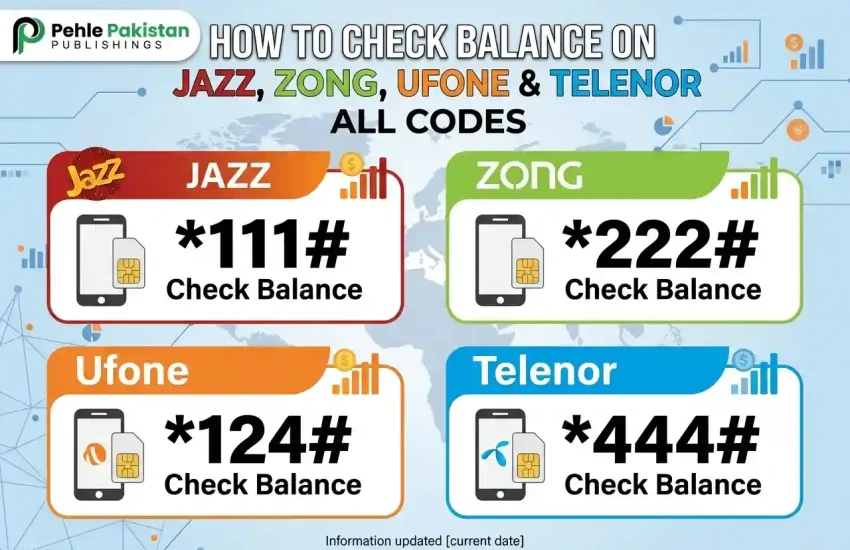
Quick Reference Balance Check Codes
In a hurry? Here are the main balance check codes for all networks:
| Network | Balance Check Code |
|---|---|
| Jazz | *111# |
| Zong | *222# |
| Ufone | *124# |
| Telenor | *444# |
Dial the code and press the call/send button you’ll receive an on-screen response or SMS within seconds. For detailed instructions and alternative methods, read on below.
How to Check Balance on Jazz
Jazz (including Warid) is Pakistan’s largest network. Here’s how to check everything on Jazz:
| What to Check | Code | Alternative |
| Main balance | *111# | Jazz World app → Home screen |
| Remaining internet / MBs | *117*4*2# | Jazz World app → My Bundles |
| Remaining minutes | *117*4*3# | Jazz World app → My Bundles |
| Remaining SMS | *117*4*4# | Jazz World app → My Bundles |
| All active packages | *446# | Jazz World app → My Bundles |
| SIM number check | *99# | Jazz World app → My Account |
| Advance balance | *112# | (Rs 25 advance, Rs 4 fee) |
Tip: The Jazz World app gives you everything in one place balance, data, minutes, SMS, active packages, and recharge history. Download it from the Play Store or App Store if you haven’t already.
How to Check Balance on Zong
Zong uses a simpler code structure most checks go through *102# or *222#:
| What to Check | Code | Alternative |
| Main balance | *222# | My Zong app → Home |
| Remaining internet / MBs | *102# | My Zong app → My Bundles |
| Remaining minutes & SMS | *102# | My Zong app → My Bundles |
| All active packages | *102# | My Zong app → Subscriptions |
| SIM number check | *8# | My Zong app → My Account |
| Advance balance | *911# | (Terms apply) |
Tip: On Zong, *102# is the one code to remember it shows your remaining data, minutes, and SMS all together for every active package.
How to Check Balance on Ufone
Ufone’s primary balance code is *124#, and package details come through *706#:
| What to Check | Code | Alternative |
| Main balance | *124# | My Ufone app → Home |
| Remaining internet / MBs | *706# | My Ufone app → My Bundles |
| Remaining minutes & SMS | *706# | My Ufone app → My Bundles |
| All active packages | *706# | My Ufone app → Subscriptions |
| SIM number check | *780*3# | My Ufone app → My Account |
| Advance balance | *456# | (Rs 20 advance, fee applies) |
Tip: If *706# shows too many results at once, check the My Ufone app for a cleaner breakdown of each package separately.
How to Check Balance on Telenor
Telenor keeps things simple with *444# for balance and *999# for packages:
| What to Check | Code | Alternative |
| Main balance | *444# | My Telenor app → Home |
| Remaining internet / MBs | *999# | My Telenor app → My Bundles |
| Remaining minutes & SMS | *999# | My Telenor app → My Bundles |
| All active packages | *999# | My Telenor app → Subscriptions |
| SIM number check | *345*8# | My Telenor app → My Account |
| Advance balance | *1# | (Rs 20 advance, fee applies) |
Tip: The My Telenor app is one of the best-designed network apps in Pakistan real-time balance, package details, and easy recharge all in one screen.
If you need more messaging options, you can also read our Telenor Monthly SMS Packages guide for affordable SMS bundles with monthly validity.”
Check Balance via Official Apps (Recommended)
While USSD codes are quick, the official apps are more reliable and show much more detail:
| Network | App Name | Available On | What It Shows |
| Jazz | Jazz World | Android, iOS | Balance, MBs, minutes, SMS, recharge history, package subscribe/unsubscribe |
| Zong | My Zong | Android, iOS | Balance, all bundle details, usage history, recharge |
| Ufone | My Ufone | Android, iOS | Balance, remaining resources, package management |
| Telenor | My Telenor | Android, iOS | Balance, data/mins/SMS, offers, SIM details |
All four apps are free and require one-time OTP verification with your SIM. After that, your balance, active packages, and remaining resources are always visible on the home screen.
How to Check Your Own SIM Number
Forgot which number is in your phone? Every network has a code for that:
| Network | Code | Method |
| Jazz | *99# | Dial → number appears on screen |
| Zong | *8# | Dial → number appears on screen |
| Ufone | *780*3# | Dial → number appears on screen |
| Telenor | *345*8# | Dial → number appears on screen |
How to Check SIMs Registered on Your CNIC
Want to know how many SIMs are registered against your CNIC across all networks? PTA provides a free service:
- Send your CNIC number (without dashes) to 668.
- You’ll receive an SMS listing all SIMs registered on your CNIC across Jazz, Zong, Ufone, and Telenor.
- This works from any network the 668 short code is managed by PTA, not individual operators.
Why this matters: PTA allows a maximum of SIMs per CNIC. If you see numbers you don’t recognise, visit the nearest franchise with your CNIC to get them deactivated.
Frequently Asked Questions
Q: Does checking balance cost anything?
No. All balance and package check codes (*111#, *222#, *124#, *444#, etc.) are free of charge on all networks.
Q: Can I check balance without credit?
Yes. USSD balance check codes work even when your balance is zero. The official apps also work without any credit they only need an internet connection (Wi-Fi works too).
Q: How do I check my call or recharge history?
All four network apps (Jazz World, My Zong, My Ufone, My Telenor) show your recent recharge and call history. USSD codes for history are limited the app is the best option for this.
Q: Can I check another number’s balance?
No. USSD codes only check the balance of the SIM you’re dialling from. You cannot check another person’s balance or package details remotely.
Q: Which network gives the most data for the money?
It depends on the package and your usage. We’ve compared all four networks side by side in our Jazz vs Zong vs Ufone comparison to help you decide.
Q: What is the short code 668 for?
668 is PTA’s free service to check how many SIMs are registered on your CNIC. Send your CNIC number (without dashes) to 668 from any network and you’ll get a list of all registered SIMs.
Stay Updated with Pehle Pakistan
Networks occasionally change codes or retire old ones. Pehle Pakistan keeps all balance check codes verified and updated so you never have to guess. Bookmark this page for quick reference anytime you need a code.