Quick Answer
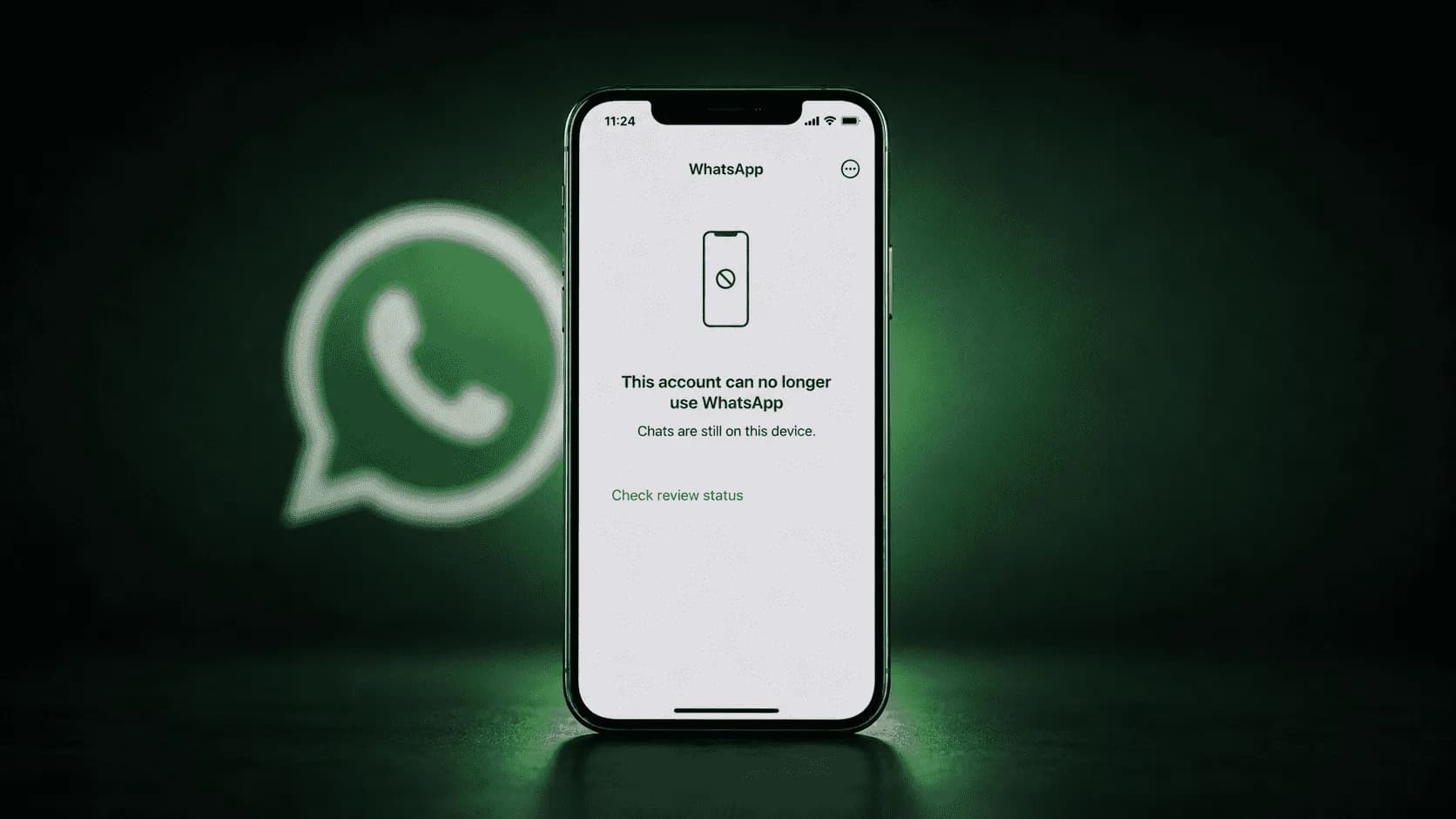
A number of WhatsApp users suddenly lost access to their accounts after the messaging service placed them “under review.” Affected users were told that WhatsApp was checking their account activity and device information for possible violations of its Terms of Service.
Meta acknowledged the problem on August 3, 2026, and said it had started restoring accounts that were restricted by mistake. Users were generally told that a review decision would arrive within 24 hours. However, Meta has not confirmed the total number of affected accounts, the countries involved or the exact cause of the issue.
Why WhatsApp Accounts Were Suddenly Placed Under Review
WhatsApp users reported being unexpectedly locked out of their accounts, with many saying they had received no warning before the restriction appeared.
The reports were shared on social platforms including X and Threads. When affected users opened WhatsApp, they saw a notice explaining that their account activity and device information were being reviewed to determine whether their use of the service followed WhatsApp’s rules.
During this process, users could not send messages, receive chats or access the service normally. The notice indicated that the company would usually provide a decision within 24 hours.
An account being under review does not necessarily mean that the user has broken WhatsApp’s rules. In this case, Meta admitted that its enforcement systems can sometimes make incorrect decisions and said it was working to return affected users to the platform.
Why WhatsApp Normally Restricts Accounts
WhatsApp says it may ban or restrict an account when its systems detect activity that appears to violate its Terms of Service. Examples include spam, scams or activity that could put other users at risk.
Other behaviour that may lead to a restriction includes:
Sending the same message to a large number of people
Using automated or bulk-messaging software
Receiving repeated complaints from other users
Operating an unofficial or modified version of WhatsApp
Collecting user information through unauthorised methods
Showing activity linked to fraud or impersonation
Using the service in a way that appears unusual or unsafe
WhatsApp also warns that temporary bans may be connected to unofficial versions of the application or data collection practices known as scraping.
These are general reasons for account restrictions. Meta has not said that any particular one caused the latest wave of reviews.
Were All the Affected Users at Fault?
There is no evidence that every affected user violated WhatsApp’s policies.
Meta’s statement suggests that at least some accounts were mistakenly flagged. The company said it uses bans to protect people from abuse but acknowledged that it sometimes gets enforcement decisions wrong.
This distinction is important. An automated warning or account review is not the same as a confirmed violation. Users should wait for the official review result before assuming that their account has been permanently banned.
The claim that “thousands” of users were affected has also not been confirmed by Meta. Because WhatsApp serves a very large global audience, even a small technical error could affect many people, but no official figure was available at the time of writing.
Meta Begins Restoring Affected WhatsApp Accounts
Meta confirmed the issue after receiving questions from TechCrunch and said it was working to restore account access.
A company spokesperson explained that WhatsApp regularly tries to identify people who abuse the service and bans accounts to protect other users. The spokesperson also admitted that the company can make mistakes and tries to correct them as quickly as possible.
Meta said it had already started restoring some of the affected accounts, although it did not provide a timeline for completing the process.
What Meta Has Confirmed
The company has confirmed that:
Some WhatsApp accounts were placed under review.
At least some of the restrictions were made incorrectly.
Work to restore affected accounts had begun.
WhatsApp’s safety systems were involved in the account checks.
Users may receive a review result through the application.
These points show that the problem was not simply a planned policy change or a worldwide shutdown of WhatsApp.
What Meta Has Not Explained
Several important questions remain unanswered.
Meta has not disclosed:
How many accounts were restricted
What triggered the sudden reviews
Whether an automated detection system caused the problem
Which countries were affected
Whether personal and business accounts were affected equally
How many accounts have already been restored
Whether the technical problem has been fully resolved
Until Meta provides more information, claims about a specific cause, country or number of affected users should be treated as unconfirmed.
Why Losing WhatsApp Access Can Be Serious
WhatsApp is more than a personal chat application for many users. Families use it to stay connected, while businesses depend on it for orders, customer support and daily communication.
A temporary restriction may interrupt:
Personal and family conversations
Business inquiries and customer orders
Workplace groups
Delivery updates
School or university communication
Verification messages
Support conversations
Access to important chat records
The effect may be especially serious for small businesses that use WhatsApp as their main point of contact with customers.
Business users should keep another communication channel available, such as email, a phone number or a website contact form. This allows customers to reach the business when WhatsApp access is unavailable.
What to Do if Your WhatsApp Account Is Under Review
Users who see an account-review message should follow the instructions shown inside the official WhatsApp application.
The first step is to remain calm. An account review may be temporary, and the latest issue shows that some restrictions can happen by mistake.
Request an Official Review
When WhatsApp provides a review option, users should submit the request directly through the application.
A review request may require the user to confirm their phone number or provide information about the account. Users should give accurate details and keep the explanation brief and factual.
For example, they can explain that they believe the restriction was made in error and that they use the account for normal personal or business communication.
WhatsApp’s official guidance says users can request a review when the option is available. For WhatsApp Business accounts, the company says it will respond after completing the review.
Wait for the Review Result
Affected users in the latest incident were told that a decision would normally be provided within 24 hours. This is an estimated review period rather than a guarantee that every case will be completed at exactly the same time.
Users should check the application for updates but avoid submitting repeated appeals within a short period. Multiple requests are unlikely to speed up the process and may make it harder to follow the case.
If the stated review period passes without a response, the user should contact WhatsApp through its official support channels.
Use Only the Official WhatsApp Application
Users should confirm that they are using the official version of WhatsApp from the Google Play Store, Apple App Store or WhatsApp’s official website.
Modified applications may offer extra themes or features, but they are not approved by WhatsApp and can create security and account-access problems.
Anyone using an unofficial version should move to the official application. Before changing or reinstalling the app, users should check whether their chat backup is available.
Do Not Pay Anyone to Restore the Account
Account restrictions often attract scammers who claim they can unlock WhatsApp accounts for a fee.
Users should not:
Pay a person who promises instant recovery
Share an SMS verification code
Share a two-step verification PIN
Give remote access to their phone
Install an unknown recovery application
Contact unofficial support profiles on social media
Share identity documents with an unverified person
Only WhatsApp can review and restore an account restricted by its systems.
Protect Chats Before Reinstalling the App
Users should not immediately delete or reinstall WhatsApp unless official instructions require it.
Reinstalling the application does not normally remove an account review. It may also create a risk of losing recent messages if no current backup exists.
Before making changes, users should check their Google Drive or iCloud backup settings where possible.
Check Account Security After Access Returns
Once access is restored, users should review the security of their account.
Recommended steps include:
Open WhatsApp settings.
Check the linked-devices section.
Sign out of any device you do not recognise.
Enable two-step verification.
Add a recovery email where the option is available.
Update WhatsApp to the latest official version.
Review recent chats for unusual activity.
Inform contacts if someone may have used the account without permission.
WhatsApp’s official security guidance encourages users to protect their account and review connected services when suspicious activity occurs.
Advice for WhatsApp Business Users
Businesses should also review how they contact customers.
Sending a large number of identical promotional messages may appear similar to spam, especially when recipients have not clearly agreed to receive them. WhatsApp says restricted accounts may show signs of automated, bulk or spam-related messaging.
Business users should:
Message people who have agreed to receive updates
Avoid buying contact lists
Give customers a clear way to stop messages
Use approved business tools
Keep records of customer consent
Avoid sudden large increases in messaging activity
Respond to complaints quickly
Maintain another customer-support channel
These practices do not guarantee that an account will never be reviewed, but they can reduce the risk of behaviour being mistaken for spam.
When Should Users Contact WhatsApp Support?
Users should seek official support when:
The account remains under review beyond the stated period
A permanent ban appears after an apparent mistake
No review button is available
An unknown device is connected to the account
The registered phone number has changed without permission
Verification codes arrive without being requested
The account appears to have been taken over
A business account is losing important customer access
When contacting support, users should include their phone number in full international format and a clear description of the problem. They should avoid sending passwords, verification codes or financial details.
Final Thoughts
WhatsApp’s latest account-access problem appears to have resulted in some users being restricted incorrectly. Meta has acknowledged the issue and has begun restoring affected accounts, but it has not explained what triggered the reviews or how many people were involved.
Users who are placed under review should use the official appeal process, protect their verification details and avoid third-party recovery services. They should also use only the official WhatsApp application and review their account security after access returns.
The most important point is that an account-review notice does not always mean a confirmed violation. Affected users should follow WhatsApp’s official instructions and wait for the review decision rather than trusting unverified recovery claims.
Frequently Asked Questions
1. Why did WhatsApp suddenly block some user accounts?
WhatsApp placed some accounts under review after its systems detected possible policy violations. Meta later admitted that some restrictions may have been applied by mistake.
2. What does “account under review” mean on WhatsApp?
It means WhatsApp is checking the account’s activity and device information to see whether it follows the platform’s Terms of Service.
3. How long does a WhatsApp account review take?
Affected users were told that they would usually receive a decision within 24 hours. Some cases may take longer.
4. Is an account review the same as a permanent ban?
No. A review is a temporary check. The account may be restored if WhatsApp finds that no serious violation occurred.
5. Has Meta started restoring affected accounts?
Yes. Meta confirmed that it had begun restoring access to accounts that were restricted incorrectly.
6. How many WhatsApp accounts were affected?
Meta has not announced an official number. Reports mention several affected users, but the exact total remains unknown.
7. Were users in specific countries affected?
Meta has not confirmed whether the issue was limited to certain countries or regions.
8. What should users do if their account is under review?
Users should follow the instructions in the official WhatsApp application, submit a review request if available, and wait for the decision.
9. Should users reinstall WhatsApp during the review?
Reinstalling the app usually does not speed up the review. Users should first check their chat backup before deleting or reinstalling WhatsApp.
10. Can someone charge money to restore a WhatsApp account?
No third party can officially restore a restricted account. Users should avoid anyone asking for payment, verification codes, passwords or remote phone access.
11. What can cause a WhatsApp account restriction?
Possible reasons include spam, bulk messaging, scams, unofficial WhatsApp apps, automated tools, repeated complaints or suspicious activity.
12. Can WhatsApp Business accounts also be affected?
Yes. Personal and business accounts may be reviewed if WhatsApp’s systems detect unusual or potentially harmful activity.
13. How can users protect their account after access is restored?
Users should enable two-step verification, review linked devices, remove unknown sessions and use only the official WhatsApp application.
14. When should users contact WhatsApp support?
Users should contact official support if the review lasts longer than expected, the account is permanently banned by mistake or suspicious activity appears on the account.
Topics in this story
Article Details
Category: Tech
Published:
Author: Rabia
More Stories